Every photo you shoot,
finally understood.
Aurora imports your RAWs, culls the picks, and reads every shot's metadata, all on your Mac.
Explore Aurora
Click through the workflow.
A lightweight preview of how Aurora turns every import into useful context. No files uploaded, just a guided look at the app.



{{ previewTitle }}
{{ previewBody }}
Use Aurora where it saves you time
How can you include Aurora in your workflow.
Aurora does not force a new editing system. Start with import, add culling when you want it, then keep finishing your photos in the tools you already trust. Here's 3 ways you can add Aurora to your existing workflow.
Aurora + Photo Mechanic + Lightroom
Aurora + Lightroom
Aurora + Lightroom, faster
Go deeper
Your library, read photo by photo.
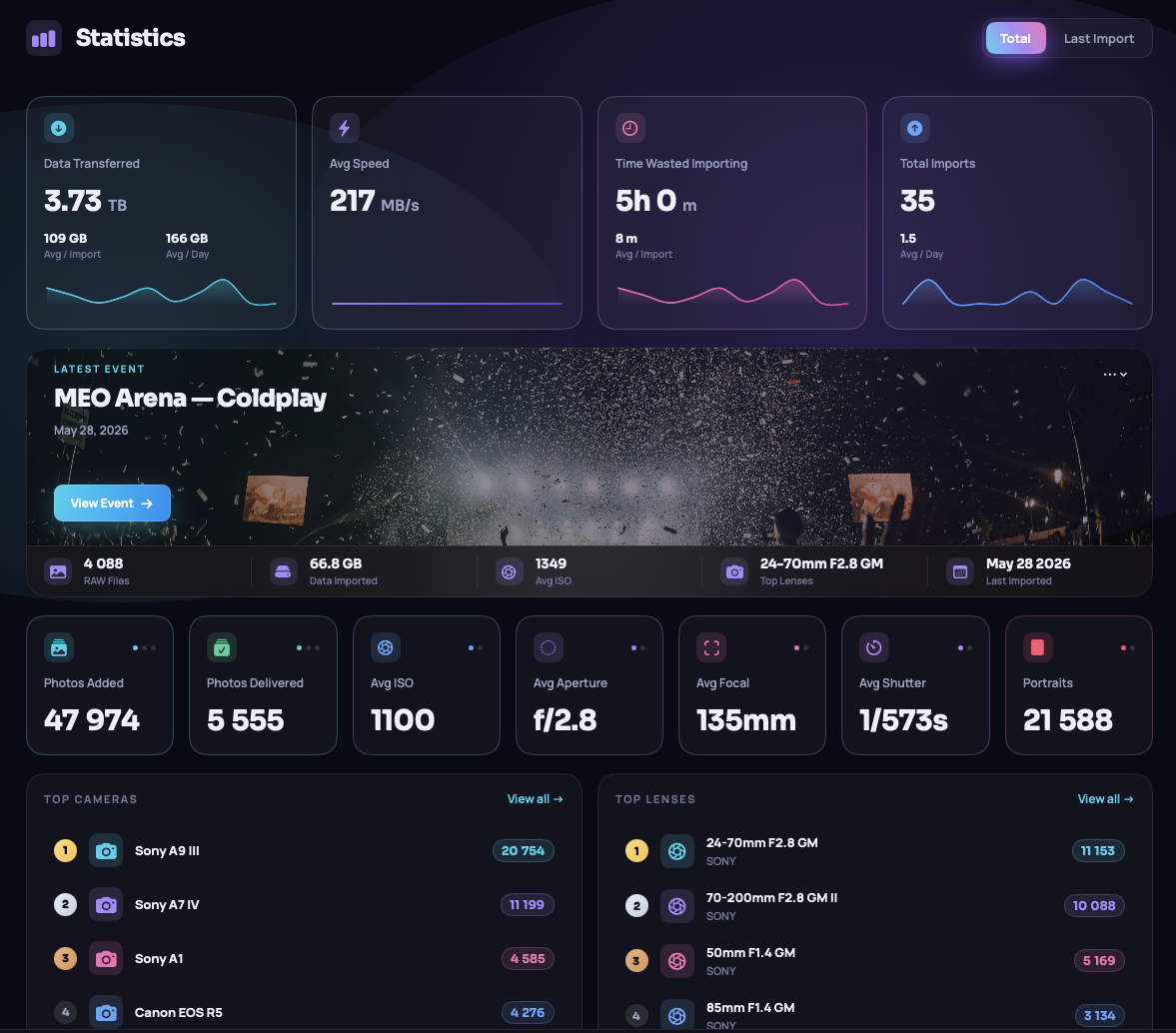
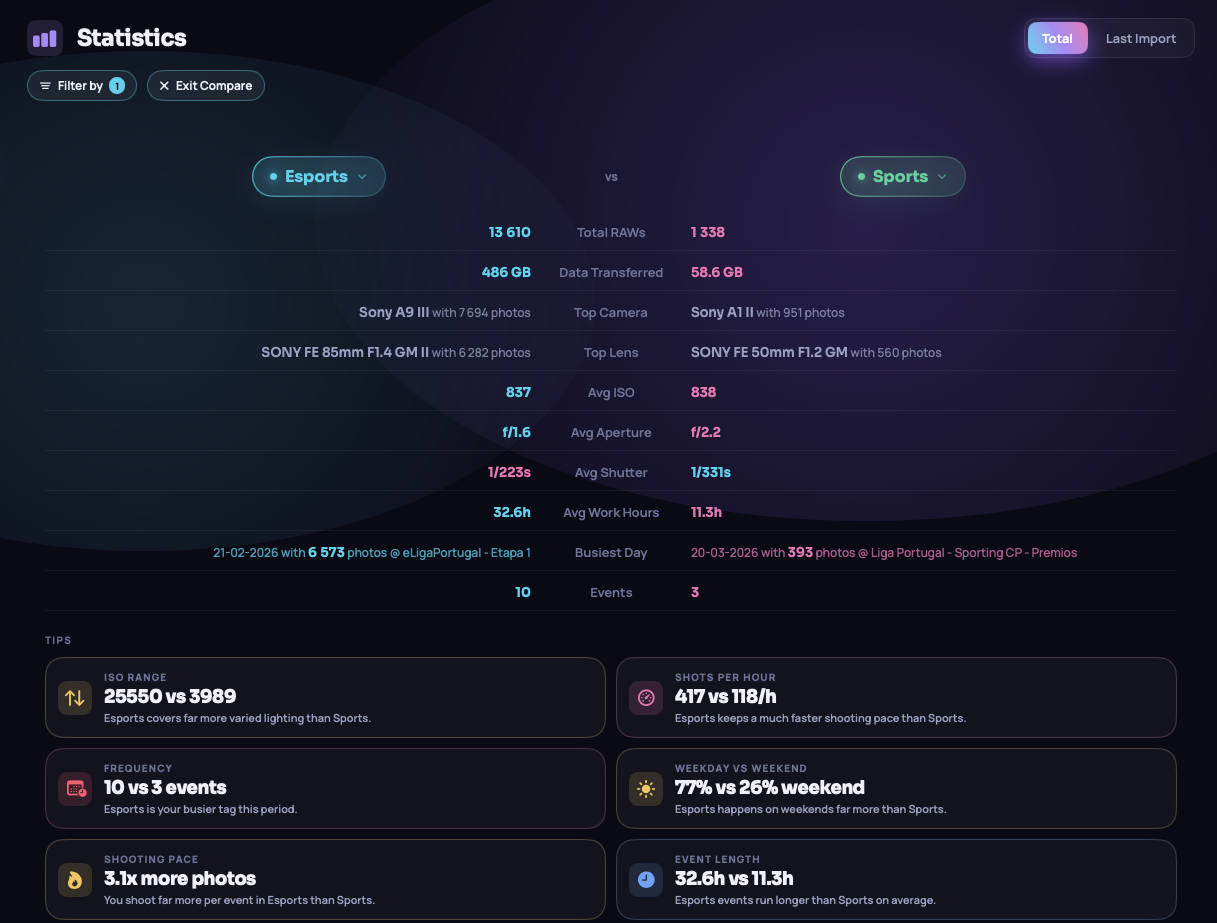
Aurora reads the metadata on every shot and turns it into events, trends and totals automatically, with nothing to tag.

Start every import with confidence.
Keep the keepers. Leave the rest.
Advanced Import reads full-resolution previews directly from your RAW files, no waiting for a full copy to finish. Flip through every frame instantly, rate with stars, flag your picks, and then import only the keepers. It's fast enough to be your whole culling stage, no more round-tripping through Photo Mechanic.
Lisboa 2026
Your shoot.
Their feed.
After every event, Aurora generates a shareable image with your shoot stats: total raw files, deliverables, ISO, top lens and more. Download it in Story (9:16) or Post (4:5) format and put it straight on your grid. No editing, no screenshots.
Everything you need to speed your workflow.
Auto card detection
Plug in your SD or CF card. Aurora sees it immediately and prompts you to import, no setup needed.
Smart folders
Builds /Year/DD-MM-YYYY/ inside your destination automatically. Lightroom-compatible organisation, zero effort.
Copy or move
Keep originals on the card or free it up instantly. Toggle once in Settings and Aurora remembers your preference.
Auto-eject
Aurora ejects your card cleanly after every import. Safe to pull without hunting through Finder.
Full stats
Top cameras, lenses, apertures, shutter count per body and monthly trends, beautifully visualised and powered by exiftool.
Named events
Tag your shoots as named events with custom banners. Organise your library the way you think about your work.
Runs entirely on your Mac.
Aurora doesn't edit or use any AI in your RAW photos. Your photos never leave your machine. Aurora only reads, imports and analyses everything locally: no cloud, no uploads, no AI. Your library is yours alone.
Pricing
Simple, honest pricing.
Aurora is built and maintained by one person, a fellow photographer. A subscription keeps development alive and gets you every build as it ships.
Pro
Lifetime
Prices exclude VAT and local taxes, calculated at checkout. Payments securely processed by Stripe · Cancel anytime
Common questions
What RAW formats does Aurora support?
Aurora supports every major RAW format: 3FR (Hasselblad), ARW (Sony), CR2 and CR3 (Canon), DNG (Adobe, Leica, Pentax, and iPhone ProRAW), IIQ (Phase One), NEF and NRW (Nikon), ORF (Olympus/OM System), RAF (Fujifilm), RAW (Panasonic/Leica), and RW2 (Panasonic).
What macOS version does Aurora require?
Aurora requires macOS 14 (Sonoma) or later, and runs natively on both Intel and Apple Silicon Macs.
Does Aurora edit or process my RAW files?
No. Aurora imports and organises: it copies or moves your files and builds your folder structure. Editing is left to Lightroom, Capture One, or whatever you shoot with.
What do I get with a Pro subscription?
Pro subscribers get Advanced Import with culling, full EXIF analytics, early access to every new build, and a direct line for feedback and feature requests. Every subscription directly funds development.
Does Aurora use any AI?
No. Aurora does not use any form of AI or machine learning, and there are no plans to introduce it in upcoming updates.
Does Aurora share any of my information?
Aurora shares a small set of anonymous usage statistics: number of RAWs imported, average ISO, aperture, focal length, shutter speed, portrait and landscape counts, and your top cameras and lenses. This data is used solely for historical records within the app and is never sold or shared with third parties. errormedia has no access to your events, folder structure, or file content. If you prefer, you can opt out of all sharing at any time in Settings.
What does Aurora install on my Mac?
Why do I need to go to macOS Settings to open Aurora after installing?
All macOS apps require notarisation, a verification process by Apple that carries an annual cost of €99. In Aurora's early stage, we chose not to go through that process yet. The app is 100% safe. If Aurora gains the traction we're hoping for, we'll pursue Apple's notarisation in the near future.
When will Aurora be available on Windows?
It's on the roadmap but it'll take a while. For now the focus is on building the best possible macOS experience before moving on to a Windows version.
Ready when you are.
Bring in your next card and watch your library make sense. Free to start, Pro whenever you're ready.
Download for macOSmacOS 14+ · Intel & Apple Silicon